WELCOME TO MOBILERELATION

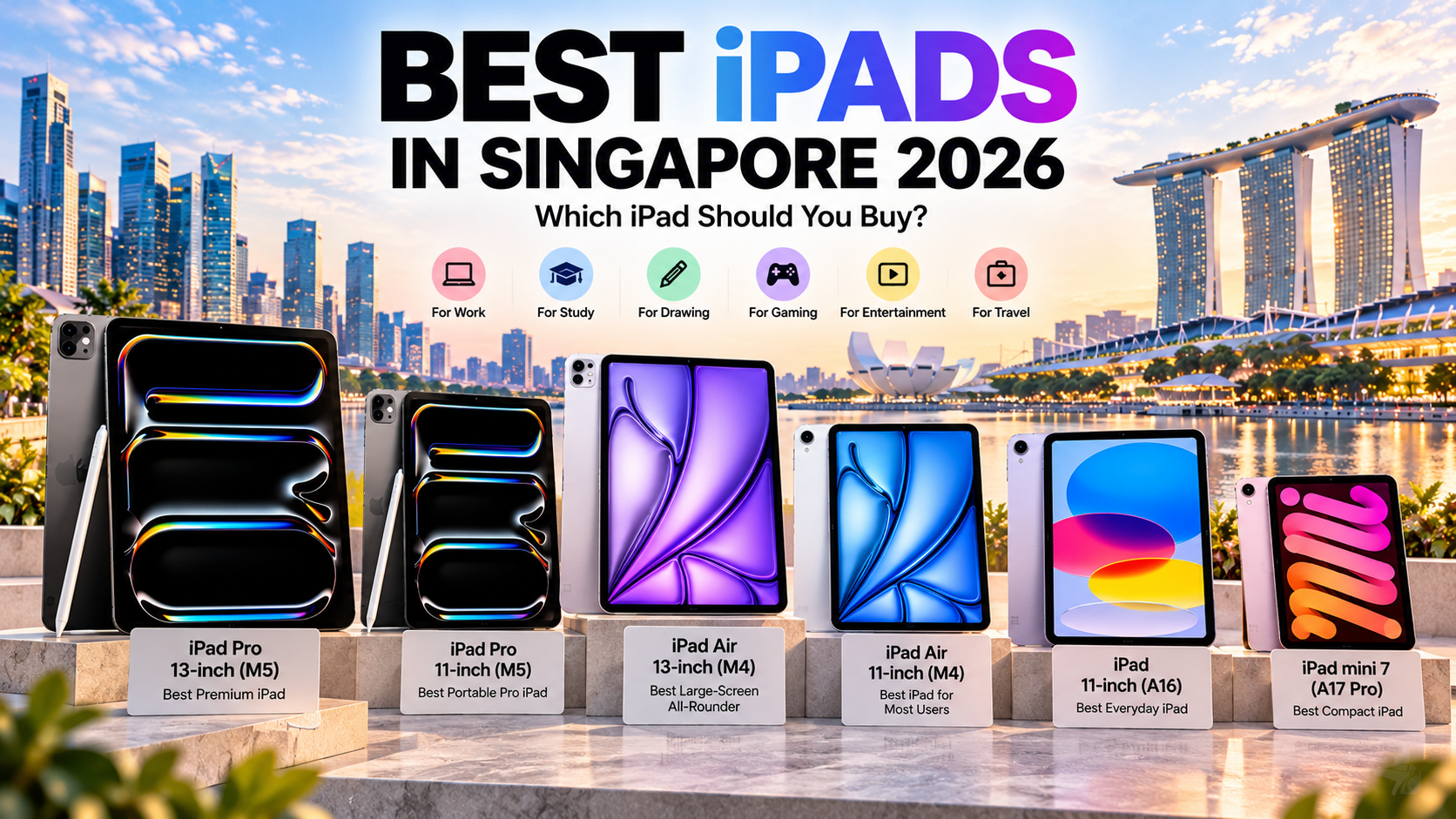
Best iPads in Singapore 2026: Which iPad Should You Buy?
If you are shopping for an iPad in Singapore in 2026, choosing between the different models can be surprisingly difficult.
Apple’s current iPad range covers everything from compact tablets for reading and travel to large-screen devices designed for creative work, studying and productivity.
The good news is that you do not need the most powerful iPad to get the best experience. The right choice depends on what you actually plan to do with it.
Quick answer: Choose the iPad Pro if you need Apple’s most advanced display and performance, the iPad Air for the best balance of capability and portability, the standard iPad for everyday use, or the iPad mini if compact size matters most.
Best iPads in Singapore 2026: Quick Comparison
| iPad | Our Pick For | Why Consider It? |
|---|---|---|
| iPad Pro 13-inch (M5) | Best Premium iPad | Largest Pro display and maximum working space |
| iPad Pro 11-inch (M5) | Best Portable Pro iPad | Pro features in a more manageable size |
| iPad Air 13-inch (M4) | Best Large-Screen All-Rounder | Large display without moving to the Pro range |
| iPad Air 11-inch (M4) | Best iPad for Most Users | Strong balance of performance and portability |
| iPad 11-inch (A16) | Best Everyday iPad | Great for study, entertainment and daily tasks |
| iPad mini 7 (A17 Pro) | Best Compact iPad | Small, lightweight and easy to carry |
1. iPad Pro 13-inch (M5): Best Premium iPad
The iPad Pro 13-inch (M5) is the model to consider if you want Apple’s most capable large-screen tablet experience.
Its 13-inch Ultra Retina XDR display uses tandem OLED technology with ProMotion, giving creative users a premium canvas for drawing, photo editing, video work and other visually demanding tasks.
The M5 chip also provides plenty of performance for demanding applications and heavy multitasking, while Thunderbolt connectivity makes it easier to work with external storage, displays and professional accessories.
The main reason to choose the 13-inch model over the smaller Pro is screen space. If you regularly work with timelines, illustrations, multiple documents or side-by-side apps, the additional room can make a meaningful difference.
Best for: Creative professionals, designers, video editors, artists and users who want maximum screen space.
Explore the iPad Pro 13-inch (M5) →
2. iPad Pro 11-inch (M5): Best Portable Pro iPad
The iPad Pro 11-inch (M5) gives you many of the same premium features as the larger iPad Pro but in a noticeably easier-to-carry size.
You still get the M5 platform, Ultra Retina XDR tandem OLED display, ProMotion, Apple Pencil Pro support and Thunderbolt connectivity.
The big difference is portability. An 11-inch tablet is easier to hold, carry between meetings and use while travelling.
That makes the 11-inch Pro particularly attractive to users who want professional-level performance but do not necessarily need a 13-inch canvas every day.
Best for: Professionals, creators and power users who value portability.
Explore the iPad Pro 11-inch (M5) →
3. iPad Air 13-inch (M4): Best Large-Screen All-Round iPad
For many users, the iPad Air 13-inch (M4) may be more practical than the iPad Pro.
You still get a large 13-inch display, M4 performance and support for Apple Pencil Pro, giving the Air plenty of capability for studying, drawing, documents and general productivity.
The larger screen is especially useful when working with two apps side by side, viewing lecture notes, editing documents or watching videos.
It is therefore a strong option for users who want a big iPad but do not specifically need the advanced OLED display, ProMotion or Thunderbolt capabilities of the iPad Pro.
Best for: Students, working professionals, creative users and anyone who wants a large iPad without automatically choosing the Pro.
Explore the iPad Air 13-inch (M4) →
4. iPad Air 11-inch (M4): Best iPad for Most Users
If we had to recommend one iPad for the broadest range of users, the iPad Air 11-inch (M4) would be one of the strongest places to start.
It combines the M4 chip with an 11-inch Liquid Retina display, Apple Pencil Pro support and a much more portable body than a 13-inch tablet.
That combination works particularly well for students who carry their iPad every day, office users who move between meetings and anyone who wants a tablet that is powerful without feeling unnecessarily large.
It also leaves enough performance headroom for more demanding apps, creative work and gaming.
Best for: Most users, students, portable productivity, note-taking and creative work.
Explore the iPad Air 11-inch (M4) →
5. iPad 11-inch (A16): Best Everyday iPad
The iPad 11-inch (A16) proves that many users simply do not need an Air or Pro.
For browsing, Netflix, YouTube, schoolwork, video calls, documents, social media and general apps, the standard iPad already covers a very large percentage of normal tablet use.
It also supports Apple Pencil options, which means it can still work as a digital notebook for students and casual note-takers.
If you are buying an iPad for a child, family member, schoolwork or general home use, this may be the most sensible place to begin your comparison.
Best for: Everyday users, students, families, entertainment and casual productivity.
Explore the iPad 11-inch (A16) →
6. iPad mini 7 (A17 Pro): Best Compact iPad
The iPad mini 7 serves a completely different purpose from Apple’s larger tablets.
Its 8.3-inch display and lightweight body make it significantly easier to hold in one hand, carry in a smaller bag or use while travelling.
The A17 Pro chip also means that its compact size does not automatically mean weak performance.
Apple Pencil Pro support makes the mini especially interesting as a portable digital notebook, while its small display works well for reading, navigation, quick notes and media consumption.
Best for: Travel, reading, compact note-taking and users who value portability above screen size.
iPad Pro vs iPad Air: Which Should You Buy?
This is probably the most important comparison for buyers looking above the standard iPad.
| iPad Pro | iPad Air | |
|---|---|---|
| Best for | Professional and demanding creative use | Study, work and general creative use |
| Chip | M5 | M4 |
| Display | Ultra Retina XDR tandem OLED | Liquid Retina |
| ProMotion | Yes | No |
| Apple Pencil Pro | Yes | Yes |
| Sizes | 11-inch and 13-inch | 11-inch and 13-inch |
| Choose it if… | You genuinely need Pro display and connectivity features | You want powerful performance without needing every Pro feature |
For most students and general productivity users, the iPad Air is likely to provide more than enough capability.
The iPad Pro becomes more attractive when features such as the tandem OLED display, ProMotion, Thunderbolt connectivity or the highest level of Apple tablet performance are genuinely useful to your workflow. For a full side-by-side breakdown of every model, see Apple’s iPad comparison page.
11-inch vs 13-inch iPad: Which Size Is Better?
The difference is less about performance and more about how you use the tablet.
An 11-inch iPad is easier to carry, hold and use while travelling. It generally makes more sense for students who move between classrooms, commuters and users who frequently use their tablet away from a desk.
A 13-inch iPad gives you significantly more visual space for multitasking, drawing, documents and media. It may feel better if your iPad spends most of its time on a desk or is regularly paired with a keyboard.
Simple rule: Choose 11-inch if portability matters more. Choose 13-inch if screen space matters more.
Which iPad Is Best for Students?
For most students, the iPad Air 11-inch (M4) is one of the most balanced options because it combines portability, strong performance and Apple Pencil Pro support.
The standard iPad 11-inch (A16) may make more sense if your needs mainly involve lecture notes, documents, web research, video lessons and entertainment.
Students who frequently work with large documents or prefer more screen space can also consider the iPad Air 13-inch.
Which iPad Is Best for Drawing?
The iPad Pro and iPad Air ranges both support Apple Pencil Pro, making them strong choices for artists, designers and users who frequently write or draw.
The iPad Pro’s advanced display makes it particularly attractive to demanding creative professionals, while the iPad Air offers a strong drawing and note-taking experience for a broader range of users.
The iPad mini is also worth considering if you want a highly portable sketchbook rather than a large creative canvas.
Which iPad Is Best for Work?
If your workflow involves emails, documents, presentations, meetings and web-based tools, an iPad Air may already provide everything you need.
Users working with demanding creative applications, large media files or professional workflows may benefit more from an iPad Pro.
Before replacing a laptop completely, however, check whether the applications you depend on offer all the features you need on iPadOS.
How Much iPad Storage Do You Need?
Storage needs vary considerably depending on how you use the device.
Users who mainly stream content and store documents in the cloud may need far less local storage than someone who downloads large games, keeps video files locally or works with creative projects.
If you expect to keep your iPad for several years, consider your future usage rather than choosing storage based only on what you use today.
Wi-Fi vs Cellular iPad
A Wi-Fi iPad is enough for many users who primarily use their tablet at home, school, office or locations with reliable Wi-Fi.
A Wi-Fi + Cellular model can be more convenient if you frequently use the iPad while travelling or working away from Wi-Fi and do not want to rely on your phone’s hotspot.
Neither option is automatically better. Choose based on where you realistically use your tablet.
Which iPad Should You Buy in 2026?
| Your Priority | Our Starting Recommendation |
|---|---|
| Best premium experience | iPad Pro 13-inch (M5) |
| Pro features with portability | iPad Pro 11-inch (M5) |
| Large-screen all-rounder | iPad Air 13-inch (M4) |
| Best for most users | iPad Air 11-inch (M4) |
| Everyday use | iPad 11-inch (A16) |
| Smallest and easiest to carry | iPad mini 7 |
Explore More Tablets in Singapore
Still comparing Apple with Android tablets?
Read our Top 15 Best Tablets in Singapore 2026 guide to compare iPads with Samsung Galaxy Tab, HONOR, OPPO, Xiaomi, Infinix and other tablet options.
You can also explore Apple products at MobileRelation or browse the complete tablet range in Singapore.
Find the Right iPad at MobileRelation
The best iPads in Singapore are not always the most powerful ones, so there is no reason to automatically choose the Pro.
Compare screen size, portability, Apple Pencil compatibility, storage and connectivity to find the model that fits how you actually study, work and relax.
Frequently Asked Questions
What is the best iPad to buy in Singapore in 2026?
The best choice depends on how you use it. The iPad Air 11-inch is a strong all-round option for many users, while the iPad Pro is better suited to demanding professional workflows. The standard iPad is ideal for everyday use, while the iPad mini prioritises portability.
Is the iPad Air good enough for students?
Yes. The iPad Air provides strong performance, Apple Pencil support and a choice of 11-inch or 13-inch displays, making it suitable for note-taking, research, documents, presentations and creative applications.
Should I buy an iPad Pro or iPad Air?
Choose the iPad Pro if you specifically benefit from its advanced display, ProMotion, Thunderbolt connectivity or additional professional capabilities. For many users, the iPad Air provides a better balance between performance and everyday practicality.
Is the 11-inch or 13-inch iPad better?
The 11-inch size is easier to carry and hold, while the 13-inch size provides more space for multitasking, drawing, documents and entertainment. The better choice depends primarily on portability versus screen space.
Is the iPad mini good for studying?
The iPad mini can work well for reading, quick handwritten notes and carrying between classes. Students who work with large documents or frequently use split-screen apps may prefer an 11-inch or 13-inch iPad.
Can an iPad replace a laptop?
It can for some users, especially for browsing, email, documents, video calls and note-taking. However, users who depend on specialised desktop applications should check iPadOS software compatibility before replacing their laptop entirely.
Where can I buy an iPad in Singapore?
You can compare available iPad Pro, iPad Air, iPad and iPad mini models through MobileRelation, including different storage capacities, connectivity options and device conditions.