WELCOME TO MOBILERELATION

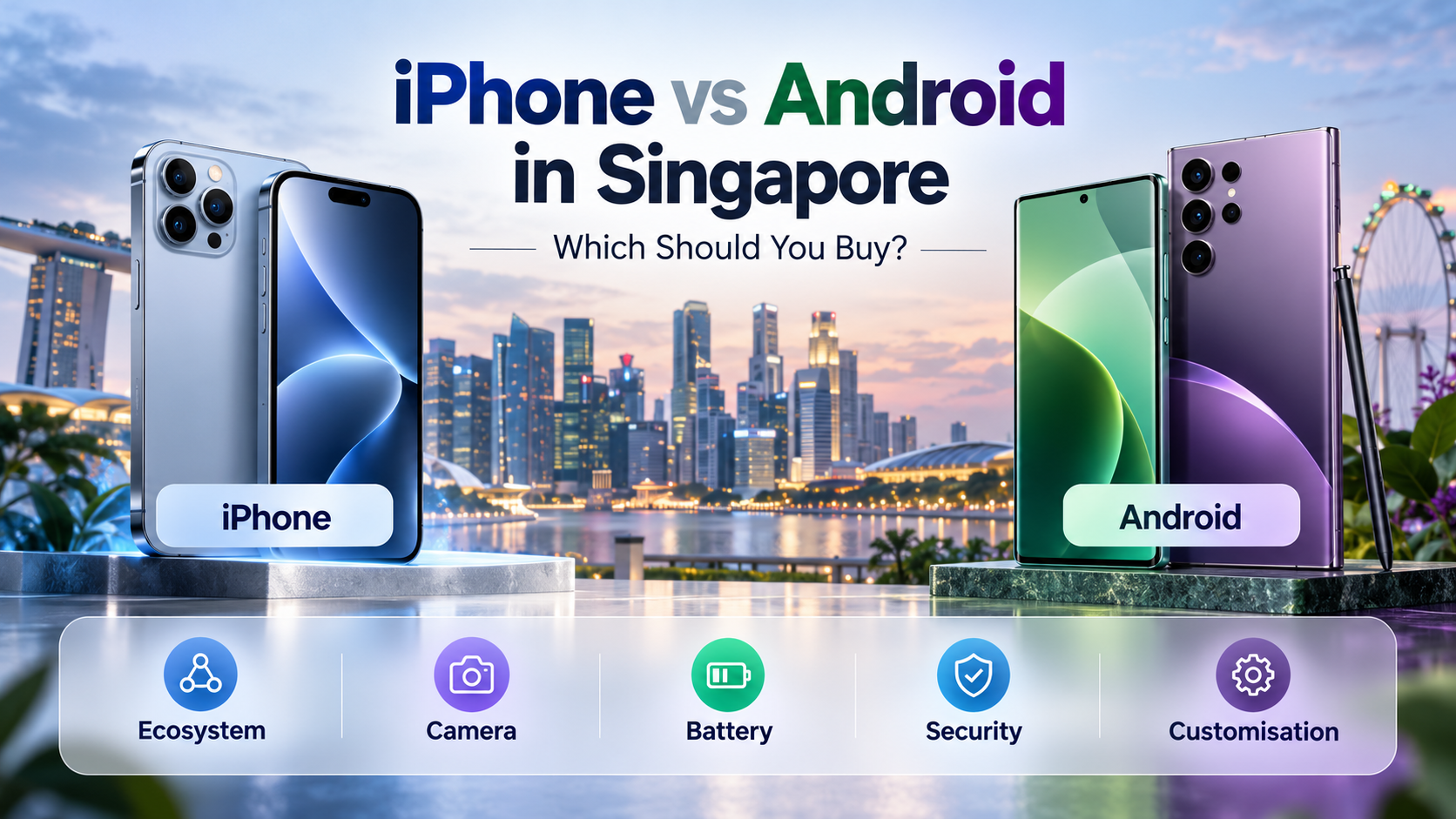
iPhone vs Android in Singapore: Which Should You Buy?
iPhone vs Android in Singapore: which should you buy? It is one of the biggest decisions people face when choosing a new smartphone.
Apple’s iPhone offers a closely integrated ecosystem, a consistent software experience and strong camera capabilities. Android phones, including Samsung Galaxy, Google Pixel, OPPO, Xiaomi, vivo and HONOR, provide a much wider selection of designs, features and hardware options.
However, choosing between iPhone and Android is not simply about deciding which operating system is better. The right smartphone depends on how you use your phone, which devices you already own and which features matter most to you.
In this guide, we compare iPhone vs Android in Singapore across camera quality, battery life, software updates, security, gaming, customisation, ecosystem integration and everyday usability to help you make a more informed buying decision.
Quick answer: Choose an iPhone if you prefer Apple’s ecosystem, a consistent user experience and close integration with devices such as the Mac, iPad and Apple Watch. Choose Android if you prefer more hardware choices, greater customisation or features such as certain foldable designs. Both platforms can provide excellent cameras, performance, security and long-term usability.
iPhone vs Android: Quick Comparison
Before examining each category in detail, here is a quick overview of the main differences between iPhone and Android smartphones.
| Feature | iPhone | Android |
|---|---|---|
| Operating System | Apple iOS | Android with different manufacturer interfaces |
| Hardware Choice | Apple iPhone models | Many brands and form factors |
| Ecosystem | Strong Apple device integration | Google services and manufacturer ecosystems |
| Customisation | Personalisation within Apple’s system | Generally more extensive options |
| Cameras | Strong photography and video capabilities | Wide range of camera hardware and processing styles |
| Battery Life | Depends on the iPhone model and usage | Depends on the Android model and usage |
| Software Updates | Managed by Apple for supported iPhones | Policies vary by manufacturer and model |
| Security | Strong platform security and privacy controls | Strong platform security with manufacturer differences |
| Foldable Phones | Selected Apple foldable options | Broader range of foldable designs |
| Best For | Users who prefer Apple’s experience and connected devices | Users who value choice, flexibility and varied hardware |
Neither platform wins every category. The differences become clearer when you look at how each one fits your everyday life.
1. iPhone vs Android Ecosystem: Which Is Better?
One of the most important differences between an iPhone and an Android phone is how well each device works with the technology you already own.
Apple Ecosystem
If you already use a MacBook, iPad, Apple Watch or AirPods, choosing an iPhone can provide a particularly convenient experience.
Apple’s Continuity features allow supported devices to work together in useful ways, including sharing files through AirDrop, copying content between devices and continuing certain activities across your Apple devices.
Features such as iCloud Photos can also make it easier to access supported photos and other synchronised information across compatible Apple products.
For users who already rely heavily on Apple hardware, these connections can become an important reason to remain with iPhone.
Android Ecosystem
Android offers a different type of flexibility because multiple manufacturers build devices around the platform.
Samsung Galaxy users may benefit from features that connect compatible Galaxy phones, tablets, watches and other Samsung products.
Google Pixel users may prefer the integration of Google Photos, Gmail, Google Drive, Google Maps, Gemini and other Google services.
Many Android phones also support useful connections with Windows computers, wireless earbuds, smartwatches and other compatible devices.
However, the exact features available can differ by manufacturer, model and software version.
Which should you choose? If your existing devices are mainly from Apple, an iPhone may be more convenient. If you rely heavily on Google services or already own compatible Android devices, an Android phone may fit your setup better.
2. iPhone vs Android: Ease of Use and Customisation
Both iOS and Android are designed for everyday smartphone use, but they approach personalisation differently.
iPhone: A Consistent Experience
Apple controls both the iPhone hardware and iOS software, allowing it to provide a relatively consistent experience across supported iPhone models.
Users can personalise their Home Screen, widgets, Lock Screen, Control Centre and other supported interface elements.
The overall experience also remains familiar when upgrading from one iPhone to another.
This can be attractive to people who prefer a phone that behaves consistently and does not require extensive personalisation.
Android: More Ways to Personalise Your Phone
Android generally offers greater flexibility in areas such as Home Screen layouts, launchers, widgets, default applications and interface behaviour.
For example, users may prefer Samsung’s One UI, Google’s Pixel interface or another manufacturer’s approach to Android.
Some Android phones also provide additional multitasking tools, desktop-style interfaces or specialised productivity features.
However, additional choices do not necessarily mean a better experience for every person.
If you prefer simplicity, having fewer decisions to make about your interface may actually be an advantage.
Our recommendation: Choose iPhone if you prefer a consistent software environment. Choose Android if you enjoy customising how your phone looks and works.
3. iPhone vs Android Camera: Which Takes Better Photos?
Camera performance is one of the biggest reasons people upgrade their smartphones.
However, it would be misleading to say that every iPhone has a better camera than every Android phone, or vice versa.
Camera quality depends on the specific model, hardware, image processing and the type of photography you enjoy.
Why Consider an iPhone for Photography?
Apple’s recent iPhones offer strong photography and video capabilities, with premium models providing additional camera flexibility.
Users who frequently record videos, create social media content or shoot family moments may appreciate the consistency of Apple’s camera interface and video features.
Pro models are especially worth considering if advanced photography controls or professional video workflows are important to you.
Why Consider Android for Photography?
Android manufacturers offer many different approaches to smartphone photography.
Samsung’s premium Galaxy phones emphasise versatile camera systems, including advanced zoom capabilities on selected models.
Google Pixel phones place considerable emphasis on computational photography and AI-assisted editing.
Other Android brands, including vivo, OPPO and Xiaomi, offer camera-focused smartphones with different processing styles, lens configurations and photography features.
This gives buyers a wider variety of camera approaches to compare.
What Should You Compare?
Instead of judging a smartphone camera by megapixels alone, consider the following:
- Daylight photography and colour processing
- Low-light and night photography
- Portrait photography and skin tones
- Optical zoom and telephoto capabilities
- Video recording and stabilisation
- Front-camera quality
- Editing tools and ease of use
Camera buying tip: Compare actual camera results from the specific models you are considering. The best phone for portrait photography may not be the same as the best phone for video recording or long-range zoom.
4. iPhone vs Android Battery Life: Which Lasts Longer?
Battery life is important for almost every smartphone user in Singapore, especially those who spend long days commuting, working or travelling.
However, neither iPhone nor Android automatically provides better battery life in every situation.
Actual battery performance depends on factors such as:
- Battery capacity and health
- Processor efficiency
- Screen size and refresh rate
- Software optimisation
- Mobile network and signal conditions
- Gaming, navigation and video usage
- Background applications
iPhone Battery Considerations
Apple optimises its iPhone hardware and software together, which can help deliver efficient performance.
However, battery endurance still varies significantly across different iPhone models and usage patterns.
Android Battery Considerations
Android phones are available with many different battery capacities, processors and charging technologies.
Some models place particular emphasis on battery endurance or faster wired charging, while others prioritise slimness, performance or compact design.
When choosing an Android phone, compare the actual battery specifications and independent usage tests of the exact model.
Our recommendation: Compare real battery endurance and charging features between individual phones rather than assuming one operating system always lasts longer.
5. iPhone vs Android Software Updates and Long-Term Support
Software support becomes increasingly important if you intend to keep your smartphone for several years.
Updates can provide security improvements, bug fixes, new features and compatibility with newer applications.
How iPhone Updates Work
Apple distributes iOS updates to compatible iPhone models.
Supported devices can receive operating system and security updates through Apple’s software update system.
The length of support depends on the model, and not every new feature is necessarily available on every older iPhone.
How Android Updates Work
Android update policies vary by manufacturer and model.
Google Pixel and selected Samsung Galaxy smartphones offer extended software support commitments, while other Android manufacturers may provide different update periods.
It is therefore important to check the exact manufacturer’s policy for the phone you are considering.
Also remember that an advertised update period is generally linked to the model’s release timeline, not necessarily the date you purchase it.
Our recommendation: If you plan to keep a phone for a long time, verify its remaining operating system and security update support before buying, regardless of whether it runs iOS or Android.
6. iPhone vs Android Security and Privacy
Both Apple and Google invest heavily in smartphone security.
Modern iPhones and Android smartphones offer multiple layers of protection, including device encryption, app permissions, biometric authentication and software security updates.
iPhone Security
Apple provides a tightly integrated hardware and software environment with security controls built into iOS.
Features such as Face ID on supported models, app permissions, Find My and device encryption help protect personal information.
Android Security
Android also includes important protections such as application sandboxing, Google Play Protect, device encryption and permission controls.
Many Android manufacturers add their own security features, including Samsung Knox and Pixel-specific security hardware.
Security implementations and update schedules can vary between devices, so choosing a reputable manufacturer with dependable software support matters.
Which Is More Secure?
It is not accurate to assume that Android phones are automatically unsafe or that iPhones cannot be compromised.
On either platform, good security practices remain essential.
- Install software and security updates
- Use a strong device passcode
- Enable supported biometric authentication
- Download applications from trusted sources
- Avoid suspicious links and messages
- Enable account security protections
- Keep important information backed up
For most users, selecting a well-supported smartphone and following good security practices is more meaningful than judging security by operating system alone.
7. iPhone vs Android for Gaming
Both iPhone and Android offer powerful smartphones capable of running demanding mobile games.
Popular games are available across both platforms, although compatibility and features may vary.
Why Choose an iPhone for Gaming?
Recent iPhones feature powerful processors and high-quality displays, particularly in premium models.
Apple’s integration of hardware, software and graphics technologies can provide a strong gaming experience in supported titles.
Why Choose Android for Gaming?
Android offers a wider range of gaming-focused hardware.
Depending on the model, buyers may find high-refresh-rate displays, specialised cooling systems, gaming controls, large batteries and other gaming-oriented features.
This makes Android particularly interesting for users who want a phone designed around their gaming habits.
However, performance is still model-dependent. A premium smartphone is not automatically the best gaming choice for every person.
Our recommendation: Compare the games you play, processor performance, display quality, heat management and battery endurance before deciding.
8. Foldable Phones: Does Android Offer More Choice?
Foldable smartphones have introduced new ways to use mobile devices.
Unlike conventional smartphones, foldables can provide either a larger screen when opened or a more compact device when folded.
Android manufacturers such as Samsung, Google and HONOR offer different folding designs and software approaches.
Apple also has a foldable iPhone option, allowing users who prefer Apple’s ecosystem to consider this form factor.
However, foldables are not automatically better than conventional smartphones.
They can be useful for users who frequently multitask, read documents or enjoy larger displays, but people who prefer a simpler traditional phone may not benefit as much.
When comparing foldables, consider:
- Outer display usability
- Inner display size
- Folded thickness and weight
- App compatibility and multitasking
- Hinge and screen durability considerations
- Warranty and repair support
If foldable design is important to you, Android provides a broad selection of devices worth comparing alongside Apple’s foldable offering.
9. iPhone vs Android Apps in Singapore
For most everyday users in Singapore, both platforms provide access to a wide range of applications.
Many commonly used services offer applications for both iOS and Android, including messaging, maps, food delivery, streaming and online shopping.
However, application compatibility should not be taken for granted, especially for users who rely on specialised work software.
Banking and Government Services
If you rely on mobile banking, authentication tools, Singpass or other essential services, check the current application requirements before choosing your phone.
Some services require a minimum supported operating system version, and individual features may depend on device compatibility or security requirements.
Mobile Payments
Both iPhone and compatible Android phones support contactless payment services, but supported cards, financial institutions and features may vary.
Check the compatibility of your preferred banking and payment services before purchasing.
Work and Productivity Applications
Most popular productivity services provide mobile apps or browser-based access across both platforms.
However, specialised applications, company security requirements or device-management policies may influence which smartphone works best for your job.
Singapore buying tip: Before switching platforms, make a short list of the apps you cannot live without. Check banking, Singpass, authentication, work applications and mobile payment compatibility first.
10. Is It Difficult to Switch from iPhone to Android?
Switching between iPhone and Android is possible, but the process may require some preparation.
The main challenge is usually not learning a new interface. It is making sure your important information, accounts and applications are ready for the move.
Switching from iPhone to Android
Google provides an official Android switching process that can help transfer supported information from an iPhone to a compatible Android device.
Depending on the devices and transfer method, supported content may include contacts, photos, calendars, messages and other data.
Samsung Galaxy users can also use Samsung Smart Switch to transfer supported information from an iPhone or another Android smartphone.
Some content may require additional steps, and not every application’s private data can be transferred automatically.
For detailed instructions, see Google’s official guide to switching from iPhone to Android.
Samsung users can also refer to Samsung Smart Switch.
Switching from Android to iPhone
Apple provides an official migration process for moving supported information from Android to iPhone.
Depending on the device and software version, you may use Apple’s Move to iOS application or another supported transfer method during initial setup.
Supported content can include contacts, photos, videos, messages, calendars and certain other information.
See Apple’s official guide to moving from Android to iPhone for the latest instructions.
What About WhatsApp?
WhatsApp history may be transferred between supported devices using the relevant official migration process.
However, the requirements depend on your source device, destination device, software version and transfer method.
Do not assume that restoring an ordinary cloud backup from one platform will automatically restore it on the other platform.
Important Things to Check Before Switching
- Back up photos, contacts and important files
- Review WhatsApp migration requirements
- Check banking and authentication applications
- Confirm password manager and passkey access
- Check smartwatch and accessory compatibility
- Confirm SIM or eSIM transfer requirements with your telco
- Disable iMessage when leaving iPhone, where appropriate
- Verify important data on the new phone before resetting the old one
Important: Do not factory reset or trade away your previous phone until you have confirmed that your essential data, banking access and authentication methods work on the new device.
11. Which Is Better for Long-Term Ownership?
If you plan to use your next smartphone for several years, it is important to look beyond the initial excitement of a new device.
Long-term ownership depends on several practical factors:
- Software and security update support
- Battery health and replacement options
- Available storage capacity
- Warranty coverage and repair services
- Processor performance for future applications
- Compatibility with your existing accessories
Both iPhones and selected Android smartphones can provide strong long-term usability.
The better choice depends on the exact model, manufacturer support and how well the device meets your future needs.
For example, a user who values software familiarity and Apple device integration may prefer to remain with iPhone.
Another user may prefer an Android device offering a particular display size, battery configuration, camera design or productivity feature.
The most useful decision is the one that still makes sense after the novelty of a new smartphone wears off.
iPhone vs Android: Which Should You Buy Based on Your Needs?
| Your Priority | What to Consider |
|---|---|
| Already use Mac, iPad and Apple Watch | iPhone may offer smoother ecosystem integration |
| Want more smartphone brands and designs | Android offers broader hardware choice |
| Prefer a consistent interface | Consider iPhone |
| Enjoy customising your phone | Consider Android |
| Photography and video | Compare specific iPhone and Android camera systems |
| Long battery endurance | Compare individual models and usage tests |
| Gaming-focused hardware | Compare flagship and gaming-oriented Android options alongside iPhone |
| Foldable display | Compare Apple and Android foldable designs |
| Long software support | Check the exact model’s remaining update commitment |
| Everyday messaging and browsing | Both platforms can be excellent choices |
How to Choose Between iPhone and Android in Singapore
If you are still undecided, follow these five practical steps.
Step 1: Look at Your Existing Devices
Consider your laptop, tablet, smartwatch, earbuds and other devices.
Choosing a phone that works well with your current setup may make daily life more convenient.
Step 2: Identify Your Most Important Features
Do you care most about camera performance, gaming, battery life, portability or productivity?
Choose your priorities before comparing individual devices.
Step 3: Check the Apps You Actually Use
Confirm that your banking, messaging, productivity and other essential applications work on your preferred platform.
Step 4: Compare Specific Smartphones
Once you have selected a platform, compare individual models rather than focusing only on the Apple versus Android debate.
For example, a compact iPhone and a large Android foldable are designed for very different needs.
Step 5: Consider Long-Term Practicality
Think about storage, software support, warranty, battery maintenance and how long you expect to keep the phone.
A suitable smartphone should remain useful beyond the first few months of ownership.
Explore iPhone and Android Buying Guides
Once you have a preferred platform, the next step is choosing the right model.
Our detailed buying guides can help you compare smartphones within each ecosystem:
- Best iPhones in Singapore 2026: Which iPhone Should You Buy?
- Best Samsung Galaxy Phones in Singapore 2026
- Best Google Pixel Phones in Singapore 2026
- Top 20 Best Smartphones in Singapore 2026
You can also explore smartphones by brand:
Android also includes other manufacturers with different strengths, so it is worth looking beyond Samsung and Google if you are still exploring your options.
Final Verdict: Is iPhone or Android Better?
The answer to iPhone vs Android in Singapore is not that one platform is universally better.
iPhone is an excellent choice for users who value Apple’s integrated ecosystem, familiar software experience and connected devices.
Android is an excellent choice for users who prefer more hardware options, greater customisation and different approaches to cameras, gaming, battery design and foldable smartphones.
Both platforms can offer excellent everyday performance, cameras, security and long-term usability.
The best smartphone is the one that fits your existing devices, preferred apps, daily habits and future needs.
Find Your Next iPhone or Android Phone at MobileRelation
Still deciding between iPhone and Android? Explore smartphones from Apple, Samsung, Google Pixel, OPPO, vivo, Xiaomi, HONOR and other leading brands at MobileRelation.
Compare different models, storage capacities, colours, device conditions and features before choosing the smartphone that suits you best.
Frequently Asked Questions
Is iPhone or Android better in Singapore?
Both platforms are suitable for smartphone users in Singapore. iPhone is especially attractive to users already invested in Apple’s ecosystem, while Android offers a wider range of manufacturers, designs and customisation options. The better choice depends on your personal needs.
Is an iPhone easier to use than Android?
Some users prefer iPhone because Apple provides a relatively consistent interface across its devices. Android can also be easy to use, but the experience varies between manufacturers. Familiarity and personal preference are important factors.
Does iPhone have a better camera than Android?
Not necessarily. Camera quality depends on the specific device. Premium iPhones offer strong photography and video capabilities, while Android manufacturers such as Samsung, Google Pixel, vivo, OPPO and Xiaomi provide competitive camera systems with different strengths.
Which has better battery life, iPhone or Android?
Battery life depends on the smartphone model, battery capacity, processor efficiency, software and usage habits. Neither operating system always provides better battery endurance. Compare actual device tests before deciding.
Is Android less secure than iPhone?
Android is not automatically less secure. Both platforms include important security protections. Security also depends on the manufacturer, software update support, device configuration and user behaviour.
Which is better for gaming, iPhone or Android?
Both platforms can provide excellent gaming performance. iPhone offers powerful hardware and software integration, while Android provides a broader selection of gaming-focused devices. Compare individual processors, displays, cooling systems and battery performance.
Is it difficult to switch from iPhone to Samsung?
Samsung Smart Switch can help move supported information from an iPhone to a Galaxy device. However, app data, authentication methods, SIM or eSIM settings and certain other information may need additional attention.
Can I transfer WhatsApp from iPhone to Android?
WhatsApp migration is supported through certain official transfer processes on compatible devices. Requirements vary depending on the source device, destination device and transfer method. Follow the latest official instructions before resetting your old phone.
Does Android receive software updates as long as iPhone?
Update support varies by manufacturer and model. Recent Google Pixel and selected Samsung Galaxy devices offer extended update commitments, while Apple also supports compatible iPhones over multiple years. Always compare the exact models and remaining support periods.
Which is better for students, iPhone or Android?
Both are suitable for students. Consider which devices and apps you already use, along with battery life, portability, storage and your preferred operating system. A well-matched everyday phone is often more useful than choosing a flagship solely for its specifications.
Should I switch from iPhone to Android?
Switching may be worthwhile if you want different hardware, more customisation or specific Android features. However, if you already rely heavily on Apple devices and services, consider the impact on your existing setup before switching.
Where can I compare iPhone and Android phones in Singapore?
You can browse iPhone and Android smartphones through MobileRelation, including devices from Apple, Samsung, Google Pixel and other manufacturers. Compare product specifications, storage options, device conditions and availability before purchasing.