WELCOME TO MOBILERELATION

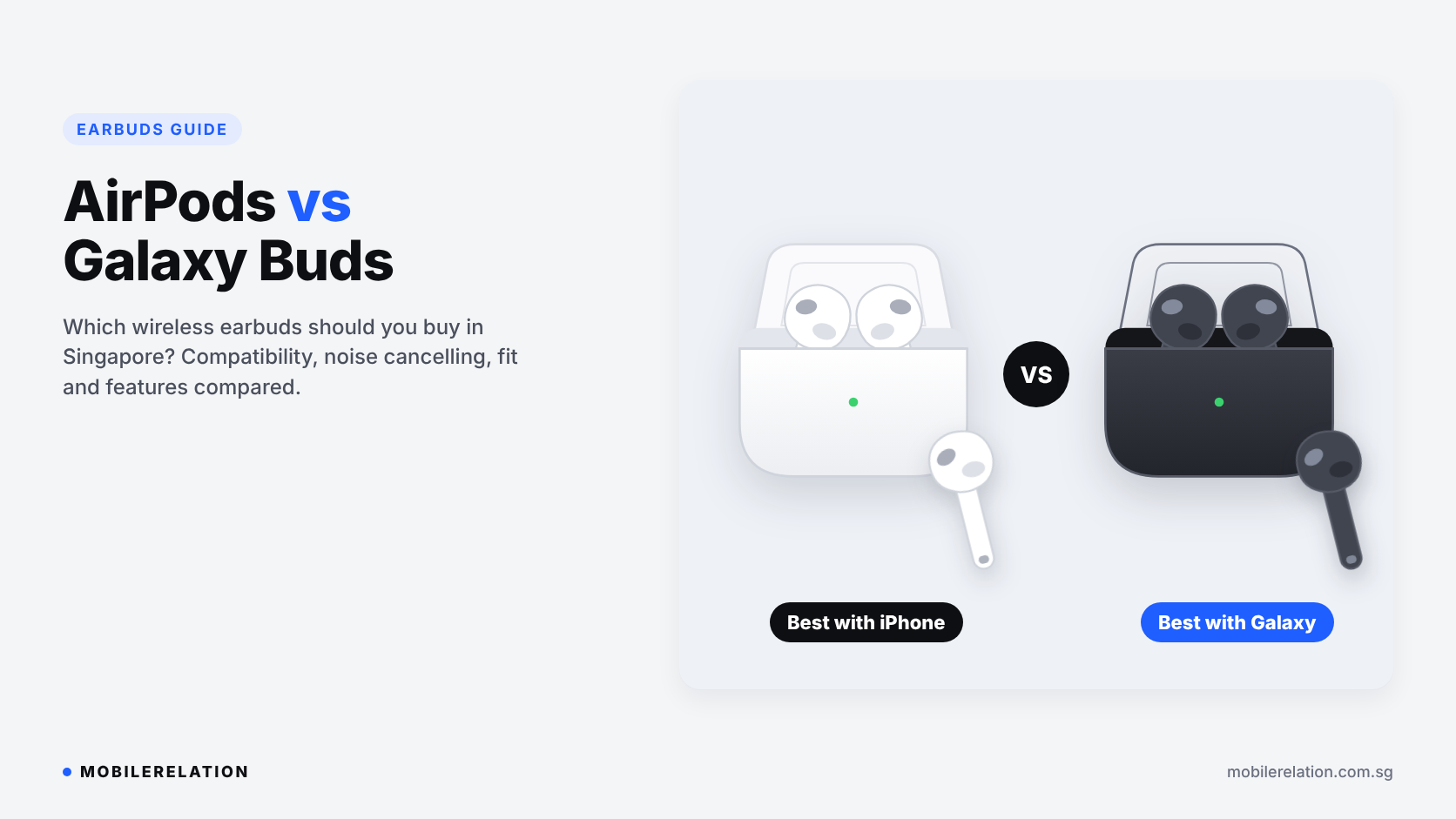
AirPods vs Galaxy Buds: Which Earbuds Should You Buy in Singapore?
Look around any MRT carriage in Singapore and you will see two kinds of earbuds more than any other: AirPods and Galaxy Buds.
Both sound good, both have noise cancelling models, and both are easy to carry everywhere. But they are not equally good on every phone.
In this AirPods vs Galaxy Buds guide, we compare phone compatibility, fit, noise cancelling, sound and smart features, so you can choose the right earbuds for the phone you already use.
The short answer:
Both work with any phone over Bluetooth, but the smart features don’t. AirPods work best with iPhone. Galaxy Buds work best with Samsung Galaxy phones. Match your earbuds to your phone and you get the full experience.
Both work with any phone over Bluetooth, but the smart features don’t. AirPods work best with iPhone. Galaxy Buds work best with Samsung Galaxy phones. Match your earbuds to your phone and you get the full experience.
⚡ Quick Answer: AirPods or Galaxy Buds?
| You Use… | Better Choice |
|---|---|
| An iPhone | AirPods |
| An iPhone, iPad and Mac together | AirPods, for automatic switching between devices |
| A Samsung Galaxy phone | Galaxy Buds |
| Another Android phone | Galaxy Buds, which still offer most features through the app |
| You want the strongest noise cancelling | The Pro model from the brand that matches your phone |
📱 AirPods vs Galaxy Buds: Phone Compatibility
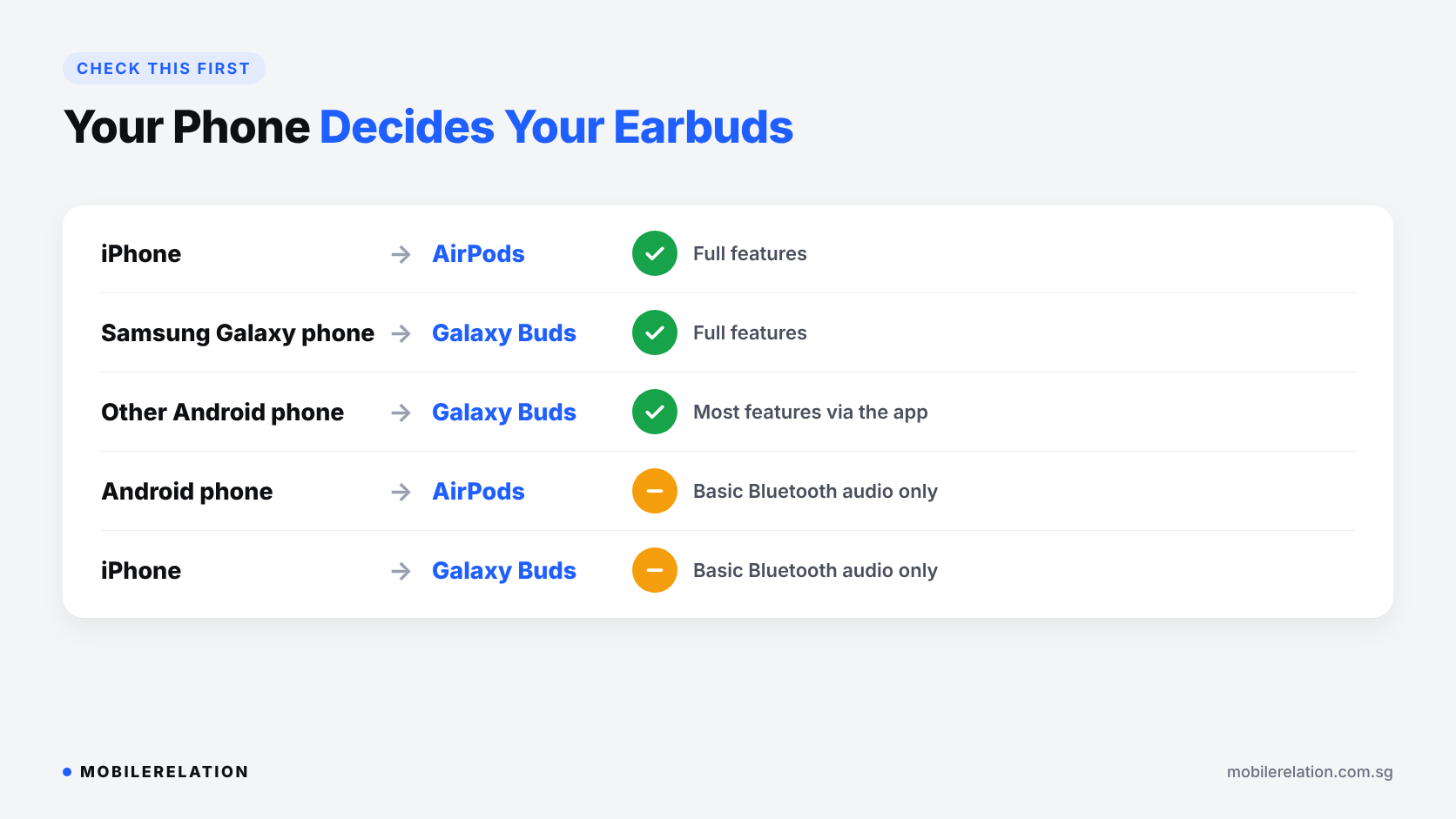
The biggest AirPods vs Galaxy Buds difference is compatibility. Unlike smartwatches, earbuds will connect to almost any phone as normal Bluetooth headphones. The difference is in the extras.
AirPods on iPhone pair the moment you open the case near your phone. You get battery status on screen, automatic switching between your Apple devices, Find My to locate lost earbuds, and settings built right into iOS.
AirPods on Android work for music and calls, but you pair them manually and lose most of the smart features, such as one-tap setup, automatic switching, Siri, Find My and easy settings.
Galaxy Buds on a Samsung phone pop up for pairing instantly and give you every feature, including Auto Switch between Galaxy devices and 360 Audio.
Galaxy Buds on other Android phones work well with the Galaxy Wearable app, although a few features are reserved for Galaxy devices.
Galaxy Buds on iPhone work over Bluetooth only. Samsung’s iOS app supports only some older Galaxy Buds models, so on iPhone you can’t customise newer Galaxy Buds. Samsung lists the details on its iOS compatibility page.
Read:
iPhone vs Android in Singapore: Which Should You Buy? →
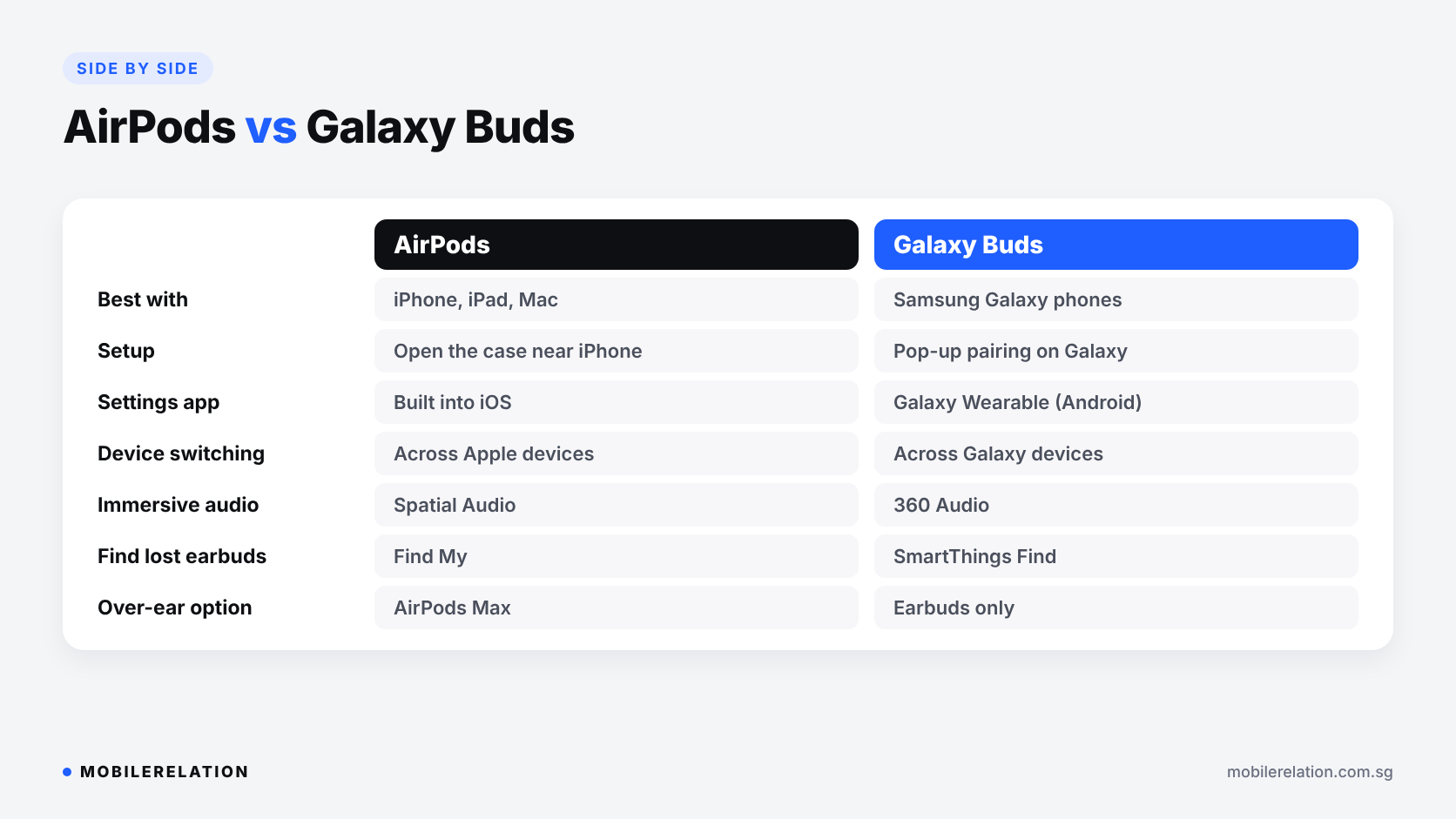
⚖️ AirPods vs Galaxy Buds: Side by Side
| Feature | AirPods | Galaxy Buds |
|---|---|---|
| Works best with | iPhone, iPad and Mac | Samsung Galaxy phones and tablets |
| Setup | Open the case near your iPhone | Pop-up pairing on Galaxy phones |
| Settings | Built into iOS | Galaxy Wearable app on Android |
| Switching between devices | Across Apple devices | Across Galaxy devices |
| Immersive audio | Spatial Audio | 360 Audio |
| Find lost earbuds | Find My | SmartThings Find |
| Noise cancelling | Selected models, strongest on AirPods Pro | Selected models, strongest on Galaxy Buds Pro |
| Over-ear headphones | AirPods Max | Earbuds only |
🎧 AirPods vs Galaxy Buds: Noise Cancelling and Fit
For daily MRT and bus rides, active noise cancelling (ANC) makes a big difference.
Pro models from both brands use silicone ear tips that seal your ear. This blocks more outside noise and gives the strongest noise cancelling. They are the best choice for commuting and flights.
Standard AirPods use an open fit with no ear tips. Many people find this more comfortable for long hours, but it lets in more outside sound. Galaxy Buds designs vary by model, so check whether the one you like has an open fit or ear tips.
Comfort is personal, and it often settles AirPods vs Galaxy Buds for people who wear earbuds all day. If you can, try the fit at one of our outlets before you buy.
🔊 AirPods vs Galaxy Buds: Sound and Smart Features
Both brands tune their earbuds for a clear, balanced sound that suits most music, podcasts and videos.
• AirPods support Spatial Audio
for a cinema-like effect with supported content,
and hands-free Siri on iPhone
• Galaxy Buds Pro models support
higher-resolution audio through Samsung’s own codec
on compatible Galaxy phones
• Galaxy Buds also offer 360 Audio
and Auto Switch across your Galaxy phone, tablet and watch
• Newer AI features,
such as live translation,
depend on the model, your phone and your region
The pattern is the same as the phone compatibility section: the best features need a phone from the same brand.
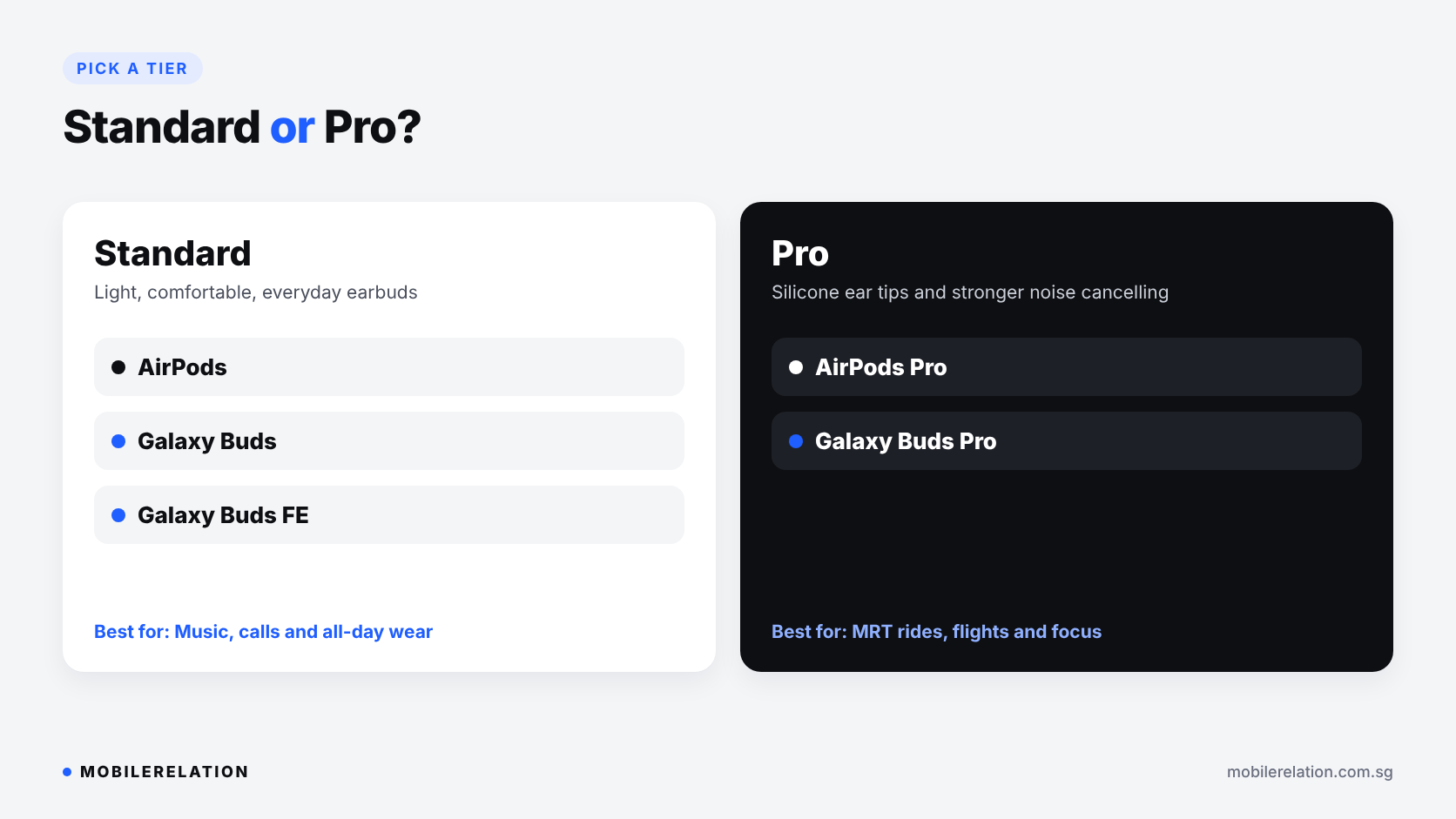
🎵 Standard or Pro: Which Model Line?
In the AirPods vs Galaxy Buds lineups, both brands offer standard models and Pro models.
| Model Line | Apple | Samsung | Best For |
|---|---|---|---|
| Standard | AirPods | Galaxy Buds, Galaxy Buds FE | Music, calls and all-day comfort |
| Pro | AirPods Pro | Galaxy Buds Pro | Commuting, flights and the best noise cancelling |
| Over-ear | AirPods Max | Not available | Home, office and long flights |
🔋 AirPods vs Galaxy Buds: Battery Life
Battery life is similar on both sides and varies by model.
• The earbuds last several hours per charge,
and the case adds extra charges throughout the day
• Noise cancelling uses more battery
than normal listening
• Most current models charge by USB-C,
and many cases also support wireless charging
• Battery health drops over time,
like on any phone,
so heavy users may notice shorter listening times after a few years
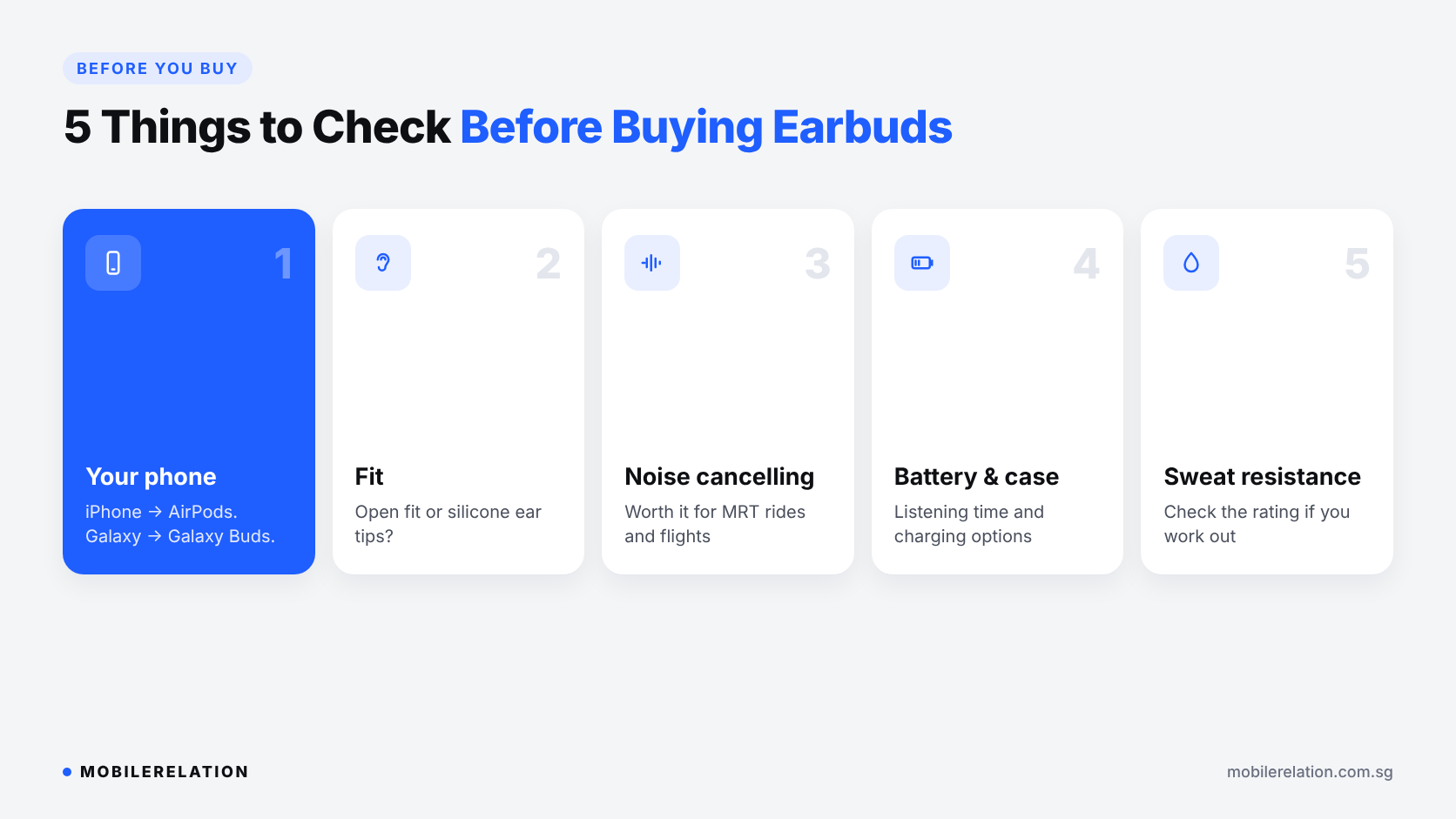
📋 5 Things to Check Before Buying Earbuds
• Your phone: iPhone for AirPods, Samsung Galaxy for Galaxy Buds
• Fit: open fit or silicone ear tips?
• Noise cancelling: worth it if you commute or travel
• Battery and case: listening time and charging options
• Sweat and water resistance: check the rating if you work out
🔄 Switching Phones? Trade In Your Old Earbuds
Moving from iPhone to Samsung, or from Samsung to iPhone? Your old earbuds will still connect over Bluetooth, but you will lose the smart features.
MobileRelation accepts trade-ins of selected AirPods and Galaxy Buds models, so you can put their value towards a pair that matches your new phone.
Get a trade-in quote for your AirPods or Galaxy Buds →
Read:
Apple Watch vs Galaxy Watch: Which Smartwatch Should You Buy? →
Find Your Earbuds
Browse AirPods, Galaxy Buds and more wireless earbuds, or visit one of our outlets to see them in person.
Shop AirPods Shop Galaxy Buds❓ Frequently Asked Questions
Do AirPods work with Android phones?
Yes, as normal Bluetooth earbuds for music and calls. However, you lose features like one-tap setup, automatic switching, Siri and Find My.
Do Galaxy Buds work with iPhone?
Yes, over Bluetooth. But Samsung’s iOS app only supports some older models, so you can’t customise newer Galaxy Buds on an iPhone.
Do Galaxy Buds work with non-Samsung Android phones?
Yes. You can use the Galaxy Wearable app for most settings. A few features, such as Auto Switch, need Galaxy devices.
Which has better noise cancelling, AirPods Pro or Galaxy Buds Pro?
Both Pro models offer strong noise cancelling that works well on the MRT and on flights. The AirPods vs Galaxy Buds choice should come down to your phone, not small differences in noise cancelling.
Are AirPods or Galaxy Buds better for working out?
For AirPods vs Galaxy Buds at the gym, both have sweat and water-resistant models. Pro models with ear tips usually stay in place better during runs. Check the water resistance rating of the model you choose.
Can I trade in my old AirPods or Galaxy Buds?
Yes. MobileRelation accepts trade-ins of selected AirPods and Galaxy Buds models. You can get a quote online or bring them to one of our outlets.
🏁 Final Thoughts
The AirPods vs Galaxy Buds decision is easier than it looks.
If you use an iPhone, get AirPods. If you use a Samsung Galaxy phone, get Galaxy Buds. Then choose standard or Pro based on how much noise cancelling you need.
Buying earbuds as a gift? Check which phone the person uses first.
Read: