WELCOME TO MOBILERELATION

Sell or Trade In Your Apple Watch or Galaxy Watch in Singapore: What Affects Its Value
Upgraded to a new smartwatch? Switched from iPhone to Android? Or simply stopped wearing your watch?
Your old Apple Watch or Galaxy Watch still has value, especially if it is in good condition and complete with its charger.
In this smartwatch trade-in guide, we explain what affects your watch’s value, how to find your exact model, and how to prepare it so the trade-in goes smoothly.
Good to know:
An online smartwatch trade-in quote is an estimate. The final offer is confirmed after your watch’s exact configuration, condition, battery and functions are checked, and after it has been unpaired from your account.
An online smartwatch trade-in quote is an estimate. The final offer is confirmed after your watch’s exact configuration, condition, battery and functions are checked, and after it has been unpaired from your account.
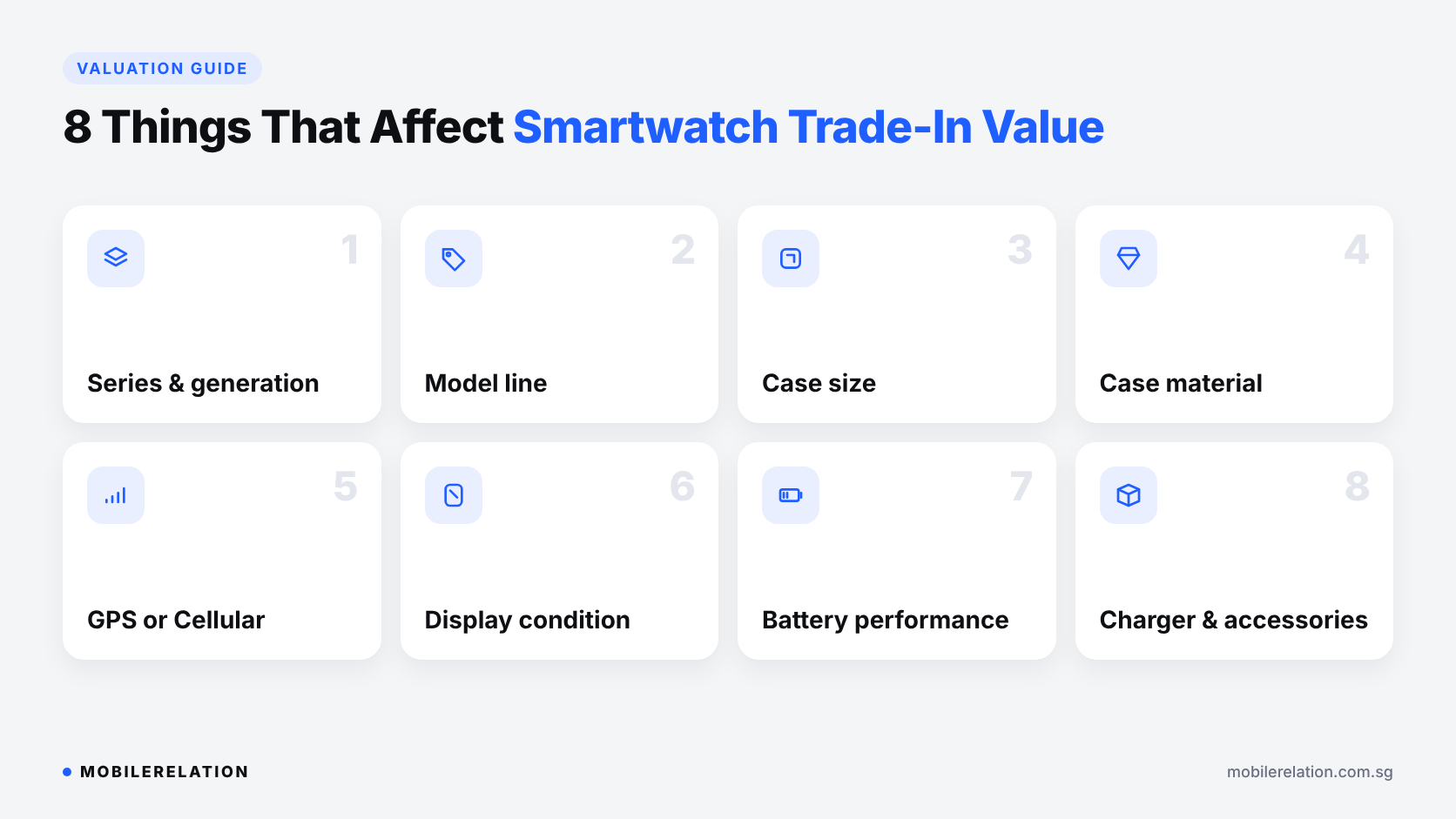
⌚ 8 Things That Affect Your Smartwatch Trade-In Value
| Factor | Why It Matters |
|---|---|
| Series and generation | Newer Apple Watch and Galaxy Watch generations usually have stronger demand |
| Model line | Everyday, SE, Classic and Ultra models are valued separately |
| Case size | Each size is a different configuration with its own value |
| Case material | Aluminium, stainless steel and titanium versions can differ in value |
| GPS or Cellular / LTE | Cellular and LTE versions are assessed separately from GPS or Bluetooth models |
| Display condition | Scratches, cracks and touch response are key assessment points |
| Battery performance | A watch that no longer lasts the day is worth less |
| Charger and accessories | The original charger, strap, box and receipt may support verification |
Sensors, buttons, the microphone and speaker are also tested, so make sure everything works before you bring your watch in.
📶 GPS or Cellular? How to Find Your Exact Model
The most common smartwatch trade-in mistake is picking the wrong version online. Two watches can look identical but have different case sizes, materials or connectivity.
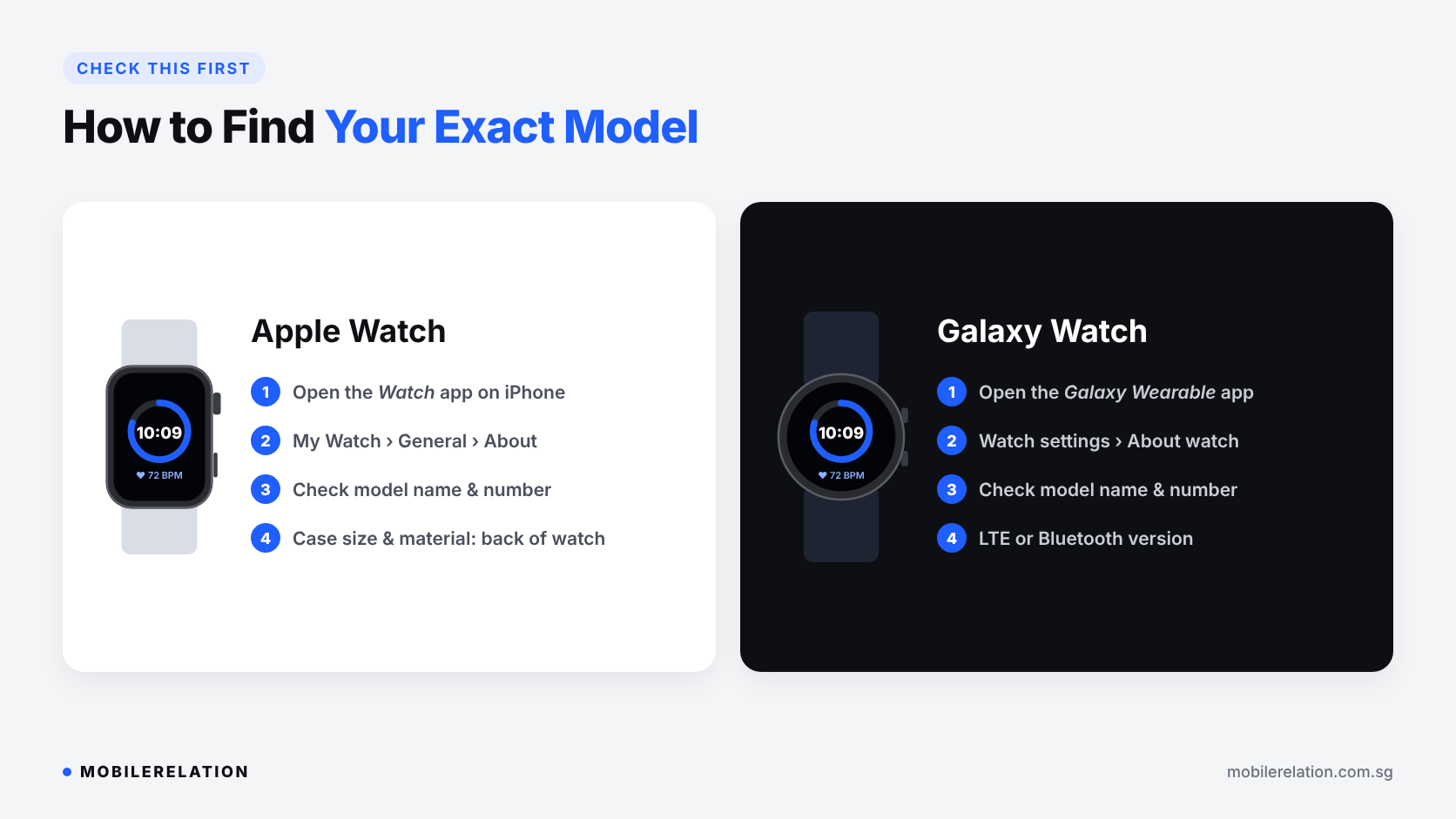
Apple Watch: open the Watch app on your iPhone and go to My Watch > General > About. You will see the model name and model number. The case size and material are also printed on the back of the watch.
Galaxy Watch: open the Galaxy Wearable app and go to Watch settings > About watch. LTE models are listed separately from Bluetooth-only models.
Not sure which model you have? Chat with us on WhatsApp or bring your watch to one of our outlets and we will check it for you.
💥 Can You Trade In a Damaged Smartwatch?
Often, yes. Smartwatches live on your wrist, so some wear is normal.
• Light scratches on the case or screen
usually still qualify
• Cracked displays
or poor touch response lower the value more
• Weak batteries
that no longer last the day affect the offer
• Faulty sensors or buttons
are checked during inspection
Describe any damage honestly when you request a quote. It helps you get an estimate that is closer to the final offer.
🔋 Check Your Battery Before Trade-In
Battery performance is a key part of any smartwatch trade-in.
On an Apple Watch, open Settings > Battery > Battery Health on the watch to see its maximum capacity.
On a Galaxy Watch, there is no simple battery health percentage, so think about how long it lasts in normal daily use. We assess battery performance during the inspection.
⏰ When Is the Best Time to Sell Your Smartwatch?
Like phones, smartwatches lose value over time, and prices usually drop after a new model is announced.
• Apple usually announces new Apple Watch models in September
• Samsung usually launches new Galaxy Watch models around July
• Switching phones?
Sell your watch soon after,
because it won’t work with your new phone
If you are planning to upgrade, a smartwatch trade-in a few weeks before the new launch usually gets you a better value than waiting until after.
Read:
Apple Watch vs Galaxy Watch: Which Smartwatch Should You Buy? →
✅ How to Prepare Your Smartwatch Before Trade-In
Resetting the watch is not enough. You must unpair it and remove it from your account, or the next owner cannot activate it.
Apple Watch
• Keep your iPhone nearby
• In the Watch app, go to My Watch > All Watches,
tap the info button next to your watch,
then tap Unpair Apple Watch
• For Cellular models, choose to remove the mobile plan,
then contact your telco if you want to cancel the line
• Enter your Apple Account password
to turn off Activation Lock
• Your iPhone backs up the watch
before it is erased
Already reset your watch without your iPhone? Remove it from your Apple Account in Find My. Apple explains the steps on its support page.
Galaxy Watch
• Back up your data in the Galaxy Wearable app
• Remove any LTE or eSIM plan,
and contact your telco if you want to cancel it
• Reset the watch from
Settings > General > Reset,
and sign out of your Samsung account if asked
• Remove the watch from your phone’s
Bluetooth and Galaxy Wearable app
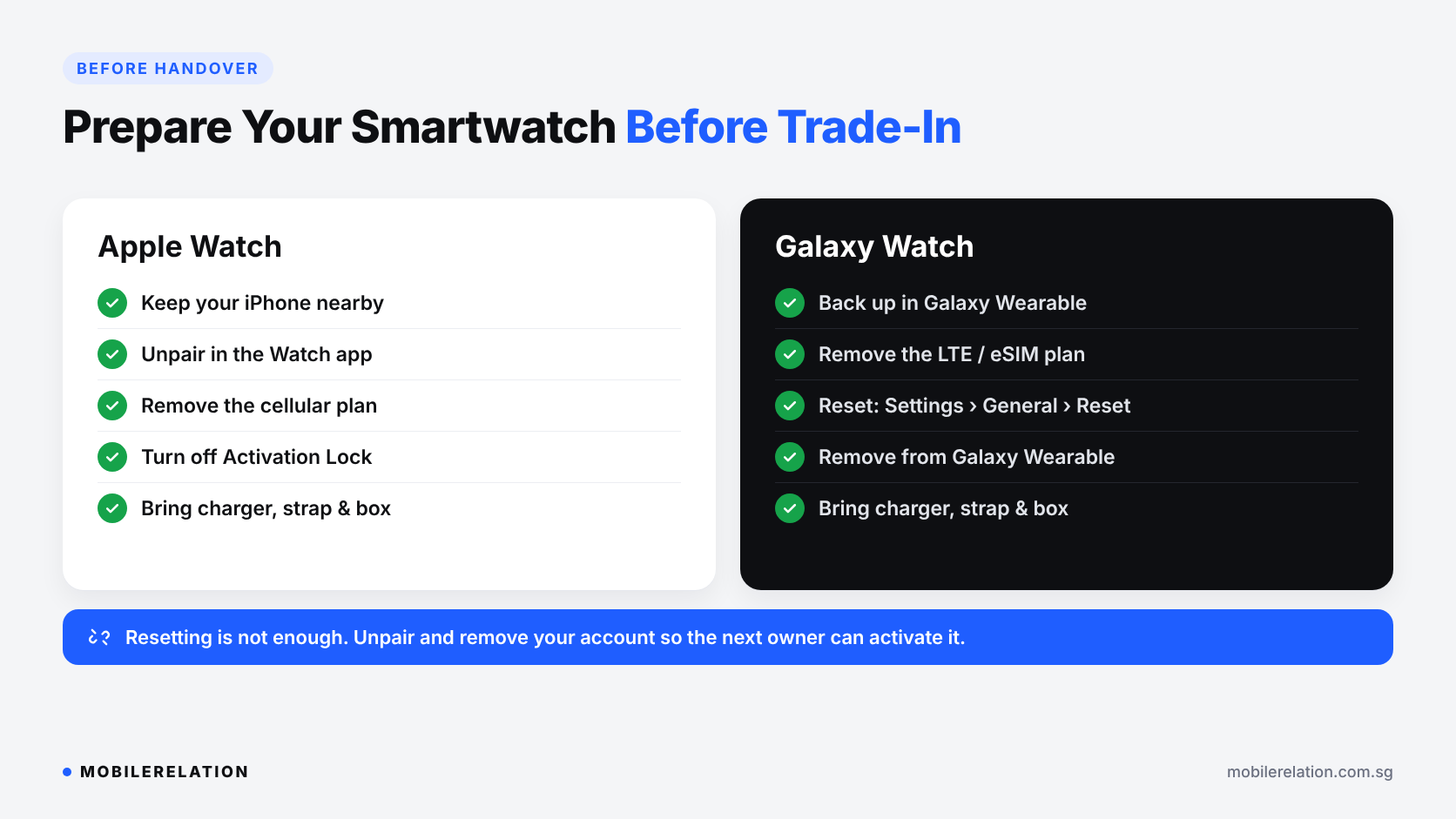
Finally, give the watch and charger a quick clean and bring the strap, box and receipt if you still have them.
🔄 How Smartwatch Trade-In Works at MobileRelation
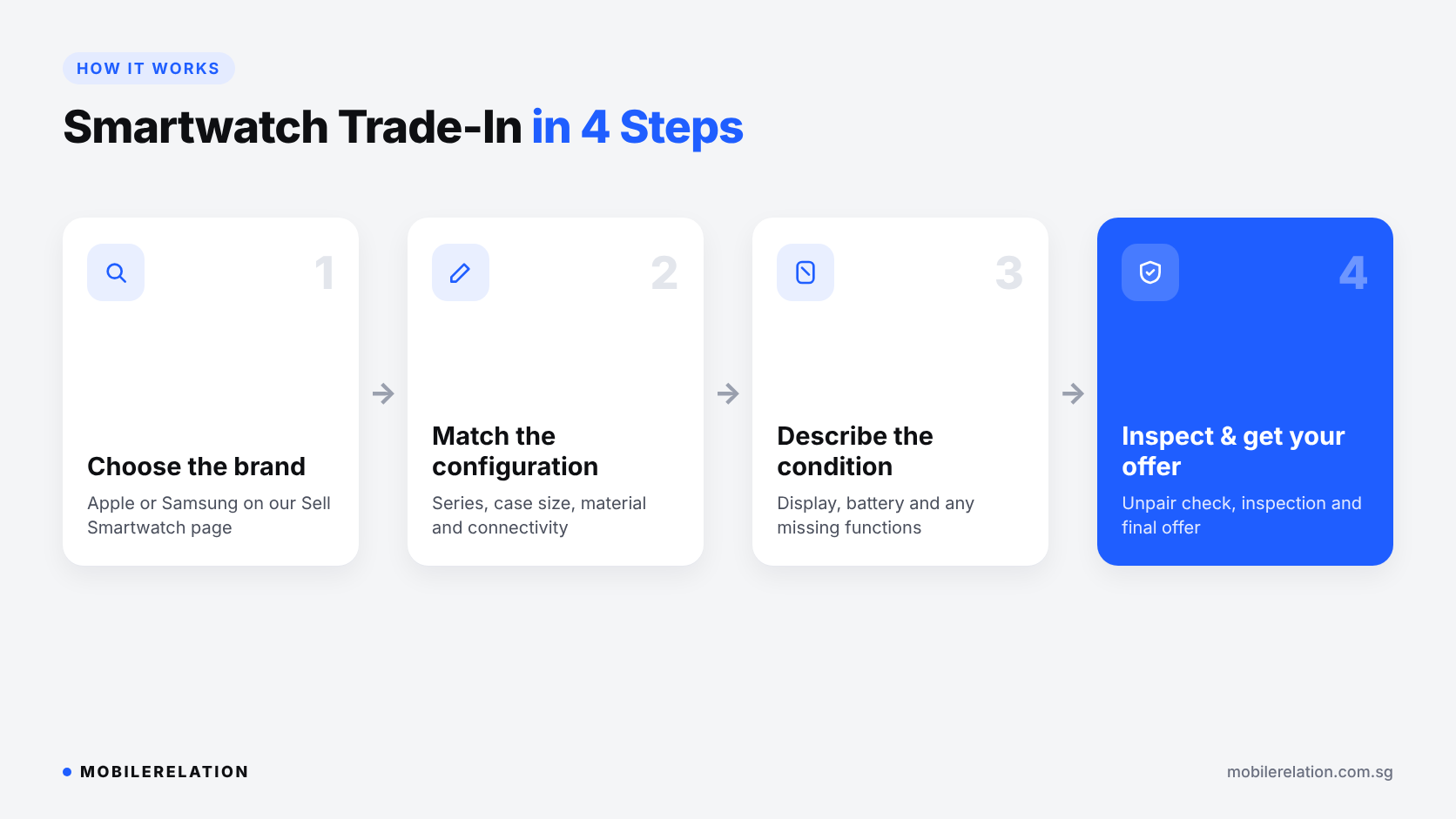
• Step 1: Choose Apple or Samsung on our Sell Smartwatch page
• Step 2: Match your series, case size, material and connectivity
• Step 3: Describe the condition, including any display or battery issues
• Step 4: We inspect the watch, check that it is unpaired, and confirm your final offer
You can sell your watch without buying a new one, or use the value towards your next device.
Get your smartwatch trade-in quote →
Upgrading to a New Smartwatch?
Put your trade-in value towards a new Apple Watch or Galaxy Watch.
Check Your Smartwatch’s Trade-In Value
Get an online estimate for your Apple Watch or Galaxy Watch, ask us on WhatsApp, or visit one of our outlets for an in-person assessment.
Get a Quote Shop Smartwatches❓ Frequently Asked Questions
Where can I sell my Apple Watch in Singapore?
You can get an online quote on MobileRelation’s Sell Smartwatch page and bring your watch to one of our outlets for inspection and your final offer.
Can I sell my smartwatch without buying a new one?
Yes. Eligible Apple Watch and Galaxy Watch models can be sold without buying a replacement, subject to assessment.
Do GPS and Cellular watches have different trade-in values?
They can. Connectivity, case size and case material are separate configurations, so choose the exact version you own.
Can I trade in a smartwatch with a scratched or cracked screen?
Watches with light scratches usually still qualify. Cracks and touch problems lower the value, and the final offer depends on the inspection.
Do I need to unpair my watch before trade-in?
Yes. Unpair it from your phone, remove linked accounts and turn off Activation Lock or similar locks, so the next owner can set it up.
Should I bring the charger and strap?
Yes, if you have them. The original charger, strap, box and receipt may help with verification and valuation.
Is the online smartwatch trade-in quote final?
No. The online value is an estimate. The final offer is confirmed after the configuration, condition, battery and functions are checked.
Can I trade in my earbuds at the same time?
Yes. We also accept selected AirPods and Galaxy Buds models. Check the accessories trade-in page for eligible models.
🏁 Final Thoughts
A smartwatch trade-in is an easy way to turn an unused watch into value for your next device.
Choose your exact model, describe its condition honestly, unpair it properly, and bring the charger along. That is how you get a smooth trade-in and the best possible offer.
Read:
How Much Is My Phone Worth in Singapore? →